Context Menu Search
Description
Context menu searching to a Grid: With this feature, you can add a search feature to a Grid that is invoked by right clicking on a Grid row.
When you right click on a row in the Grid, a menu with search options is now shown. To turn on this feature, check the Has 'Context Menu' search property in the Grid properties. By default, this property is checked.

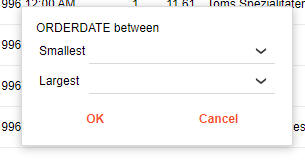
Different search options are available, depending on the data type of the column you right click on. In the case of a date or date/time field, you can search on friendly date values, such as "today", "yesterday", etc. You can also search for all records in a particular month or quarter. For numeric and date columns you can search for records between two values.
In this video we show how you can add a search feature to a Grid that is invoked by right clicking on a Grid row